
Join the discussion
Question 7/20
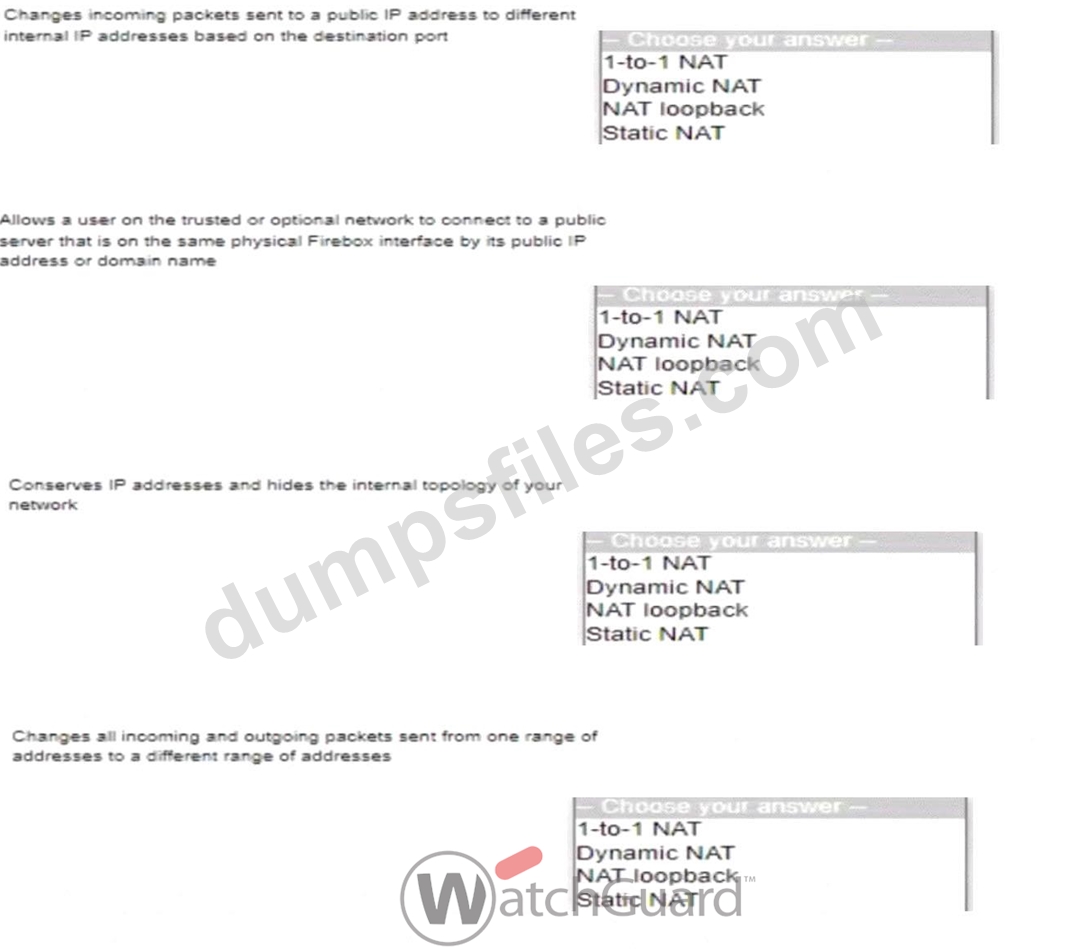
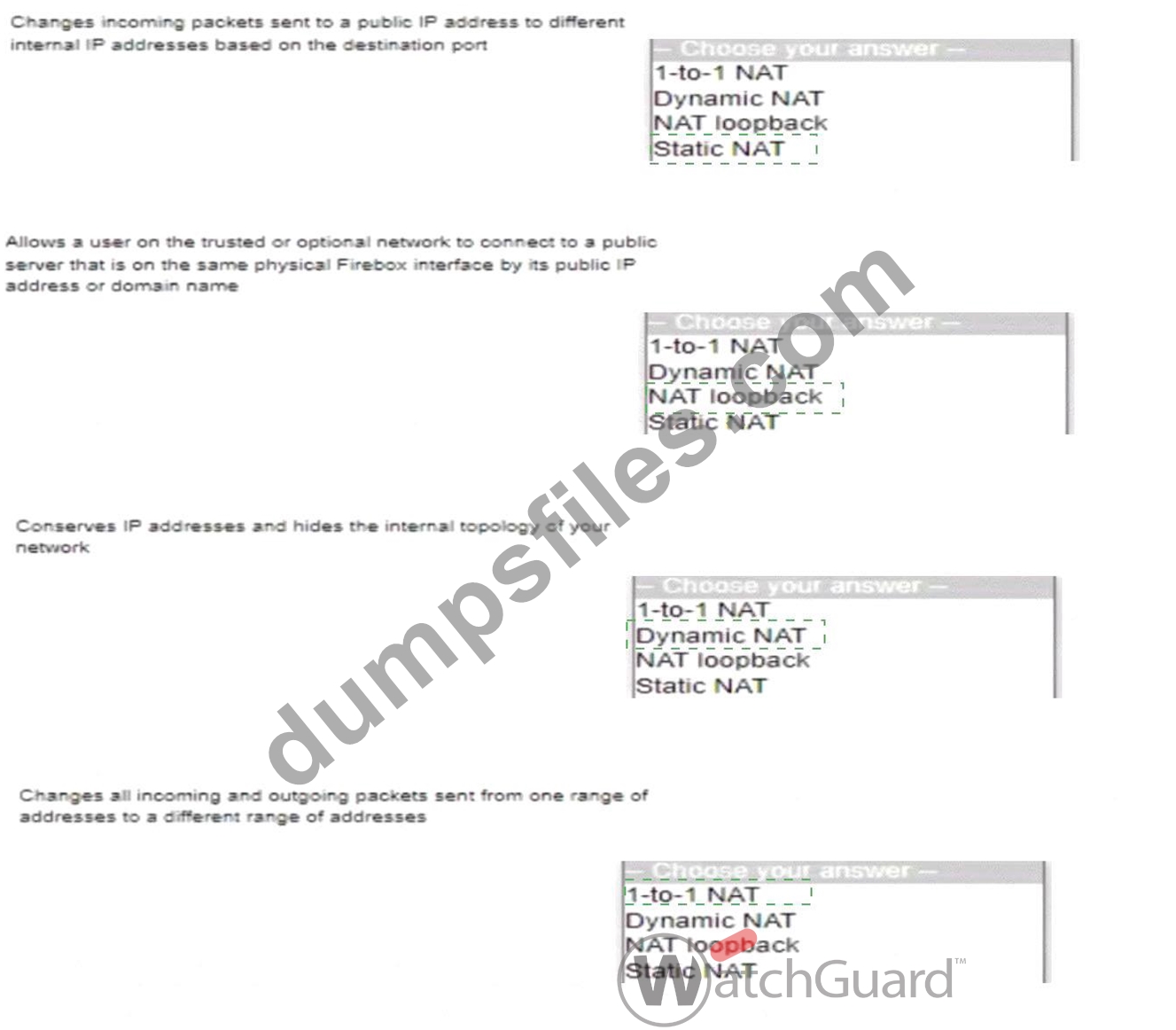
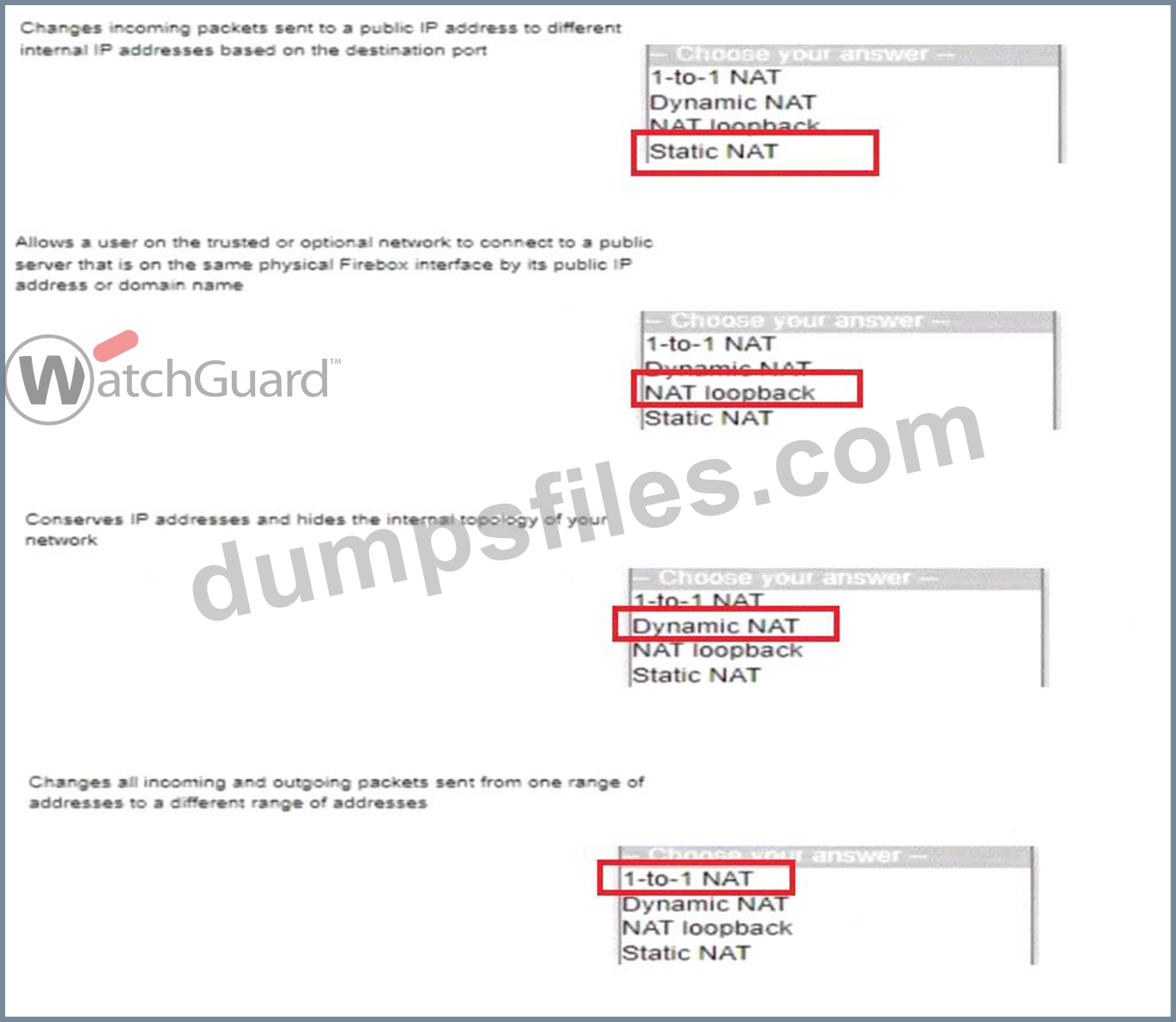
Match each type of NAT with the correct descriptor
Correct Answer:
Explanation:
Here are the correct answers for matching each NAT type with its descriptor:
* Changes incoming packets sent to a public IP address to different internal IP addresses based on the destination portanswer:Static NAT Explanation: Static NAT maps a public IP address to multiple internal IP addresses based on the port, allowing specific services or applications to be routed to various internal destinations.
* Allows a user on the trusted or optional network to connect to a public server that is on the same physical Firebox interface by its public IP address or domain nameanswer:NAT loopback Explanation: NAT loopback (or NAT reflection) allows internal users to access a public IP address or domain name that resolves to the same local network, making it appear as if they are connecting from outside the network.
* Conserves IP addresses and hides the internal topology of your networkanswer:Dynamic NAT Explanation: Dynamic NAT (or PAT - Port Address Translation) conserves public IP addresses by allowing multiple internal devices to share a single public IP address. This setup is commonly used for outbound internet connections from a private network.
* Changes all incoming and outgoing packets sent from one range of addresses to a different range of addressesanswer:1-to-1 NAT Explanation: 1-to-1 NAT maps each internal IP address to a unique public IP address, providing a one-to-one relationship. This type of NAT is often used for networks that require external access to specific internal resources.
Add Comments

- Other Question (20q)
- Q1. Match each WatchGuard Subscription Service with its function. (Exhibit)...
- Q2. You have five public IP addresses available from your ISP. When you create a Static NAT ac...
- Q3. You configured your Firebox as a DHCP server and want to verify the status of the leased a...
- Q4. With the policies configured as shown in this image, HTTP traffic can be sent and received...
- Q5. You lost access to a Firebox because no one knows the administrator passphrase. How can yo...
- Q6. A Firebox backup image includes certificates that were previously imported to the Firebox....
- Q7. Match each type of NAT with the correct descriptor (Exhibit)...
- Q8. The Audit Trail report shows information about Firebox configuration changes. How can you ...
- Q9. When you configure a Branch Office VPN tunnel to a third-party device, AES-GCM encryption ...
- Q10. If you have only one public IP address, can you use Static NAT to enable inbound connectio...
- Q11. The Firebox can scan the contents of encrypted zip files with Gateway AntiVirus when HTTPS...
- Q12. You configured a Firebox for a school environment. Students must have more restricted acce...
- Q13. Based on the configuration shown in this image, clients on the network can successfully co...
- Q14. Your users have no network connectivity on their computers in the 10.0.40.0/24 network. Yo...
- Q15. If the Firebox does not have a feature key installed, which of these statements are true? ...
- Q16. In a Mobile VPN configuration, why would you choose default-route (full tunnel) VPN instea...
- Q17. What type of NAT enables clients on a private network to connect to servers on the Interne...
- Q18. You can add your Firebox to WatchGuard Cloud but continue to manage it locally. When you d...
- Q19. You configured your Firebox interfaces and routes and want to verify the status of the rou...
- Q20. After you enable content inspection, your users cannot connect to the business-critical we...

[×]
Download PDF File
Enter your email address to download WatchGuard.Network-Security-Essentials.v2025-10-08.q20.pdf